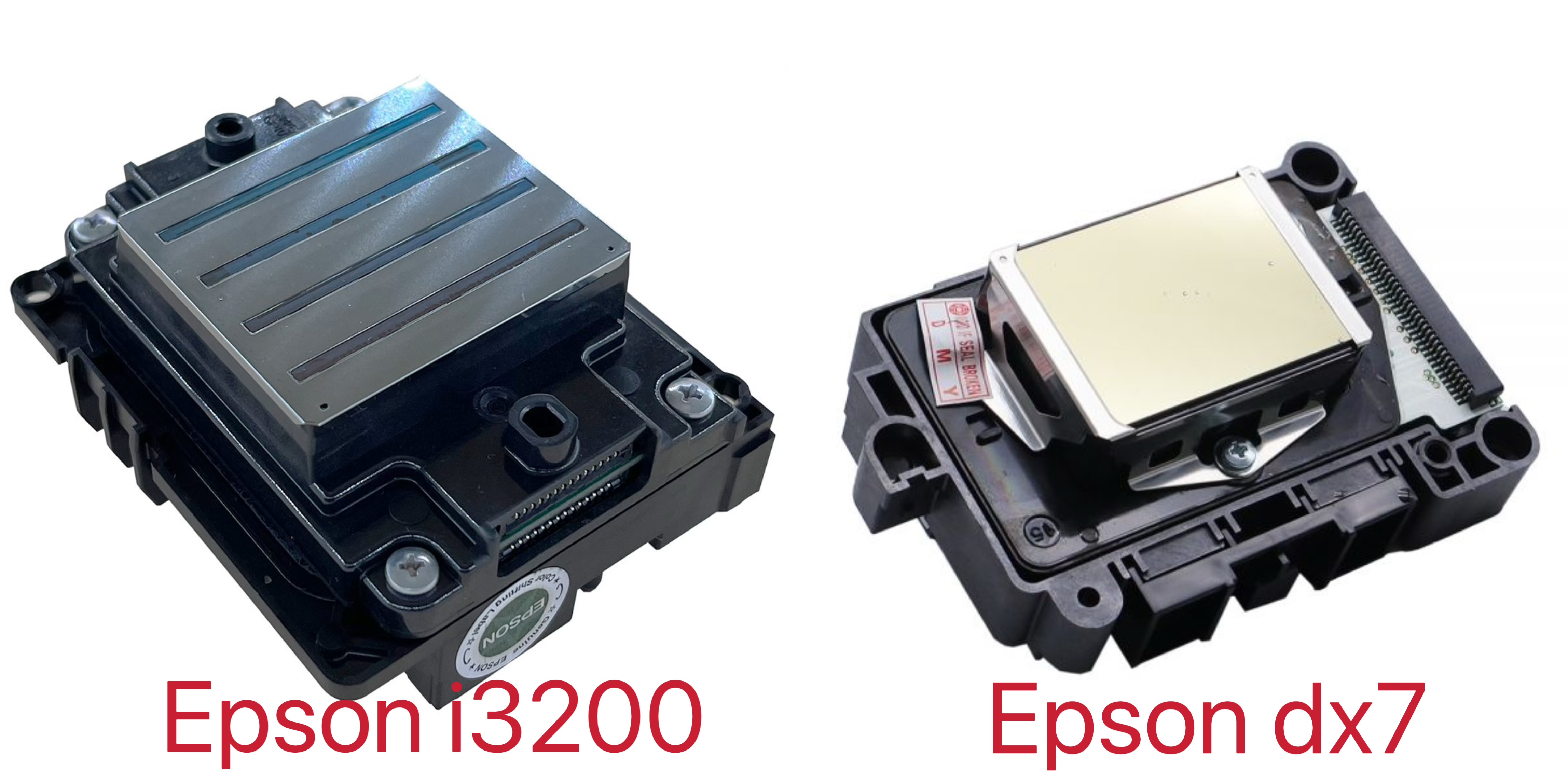
If you are comparing an Epson I3200 and DX7 wall printer, the short answer is:
For most buyers purchasing a new wall printer today, the I3200 is the stronger long-term choice.
It offers a newer Epson printhead platform, more nozzles and greater throughput potential. The DX7 can still produce good wall murals and may make sense for an existing machine already built around that head, but it belongs to an older printhead generation and replacement sourcing deserves more attention.
That does not mean every I3200 wall printer will automatically print twice as fast or look twice as sharp as every DX7 machine.
The printhead is only one part of a wall printer. Real results also depend on machine movement, printhead-to-wall distance, wall sensing, ink system, white-ink circulation, RIP software, pass mode and the wall surface itself.
For a buyer, the useful comparison looks like this:
Comparison | Epson I3200 | Epson DX7 |
|---|---|---|
Printhead generation | Newer PrecisionCore MicroTFP platform | Older Micro-Piezo platform |
Total nozzles | 3,200 | 1,440 |
Effective print width | 33.8 mm | About 25.4 mm on common DX7 variants |
Throughput potential | Higher | Lower |
Fine detail & gradients | Strong | Still capable |
Current platform availability | Stronger | Older platform; sourcing needs verification |
Best for | New machines, growing businesses, higher workload | Existing DX7 machines, lower-volume or legacy setups |
Main buying concern | Complete machine design still matters | Genuine replacement-head availability |
Epson's current I-Series specifications list the I3200 with 3,200 nozzles, a 33.8 mm effective print width and support for aqueous, UV and eco-solvent configurations depending on the exact version. The common older DX7 platform is typically listed with 1,440 nozzles.
1. What Difference Will You Actually See in Wall Printing?
The biggest practical advantage of the I3200 is productivity, not simply a bigger DPI number.
The I3200 has considerably more nozzles than the DX7. That gives a correctly designed wall printing machine more ink-delivery capacity per pass and allows manufacturers to build faster printing modes around it.
Wall-printer manufacturers currently offering both configurations commonly position the DX7 around a lower productivity tier and the I3200 one tier higher—for example, some systems advertise roughly 3–5 m²/h for DX7 and 6–10 m²/h for I3200. Those numbers should be treated as machine-specific examples, not universal printhead speeds.
This distinction matters.
A printhead does not travel across the wall by itself. Actual square meters per hour depend on the number of passes, image quality setting, white ink, surface texture, printer movement and calibration.
So instead of asking a supplier:
“How fast is the I3200?”
ask:
“Using the quality mode I would normally sell to customers, how many square meters per hour does this exact machine print?”
That gives you a useful number.
What About Print Quality?
The I3200 also has an advantage in nozzle density and modern droplet control. Epson's current I3200 specifications list 3,200 nozzles and multi-level grayscale capability, giving machine manufacturers more flexibility when balancing detail, gradients and productivity.
But buyers should not interpret this as:
“DX7 produces bad images and I3200 produces sharp images.”
A good DX7 system can still produce high-quality murals.
On an actual wall, image quality is also influenced by:
Printhead distance.
Vertical-motion stability.
Rail or wheel alignment.
Wall flatness.
Image resolution.
RIP settings.
Ink quality.
Color profiling.
If the printer shakes or allows the printhead distance to vary significantly, installing an I3200 will not magically solve the problem.
This becomes even more important on brick, textured plaster or uneven surfaces.
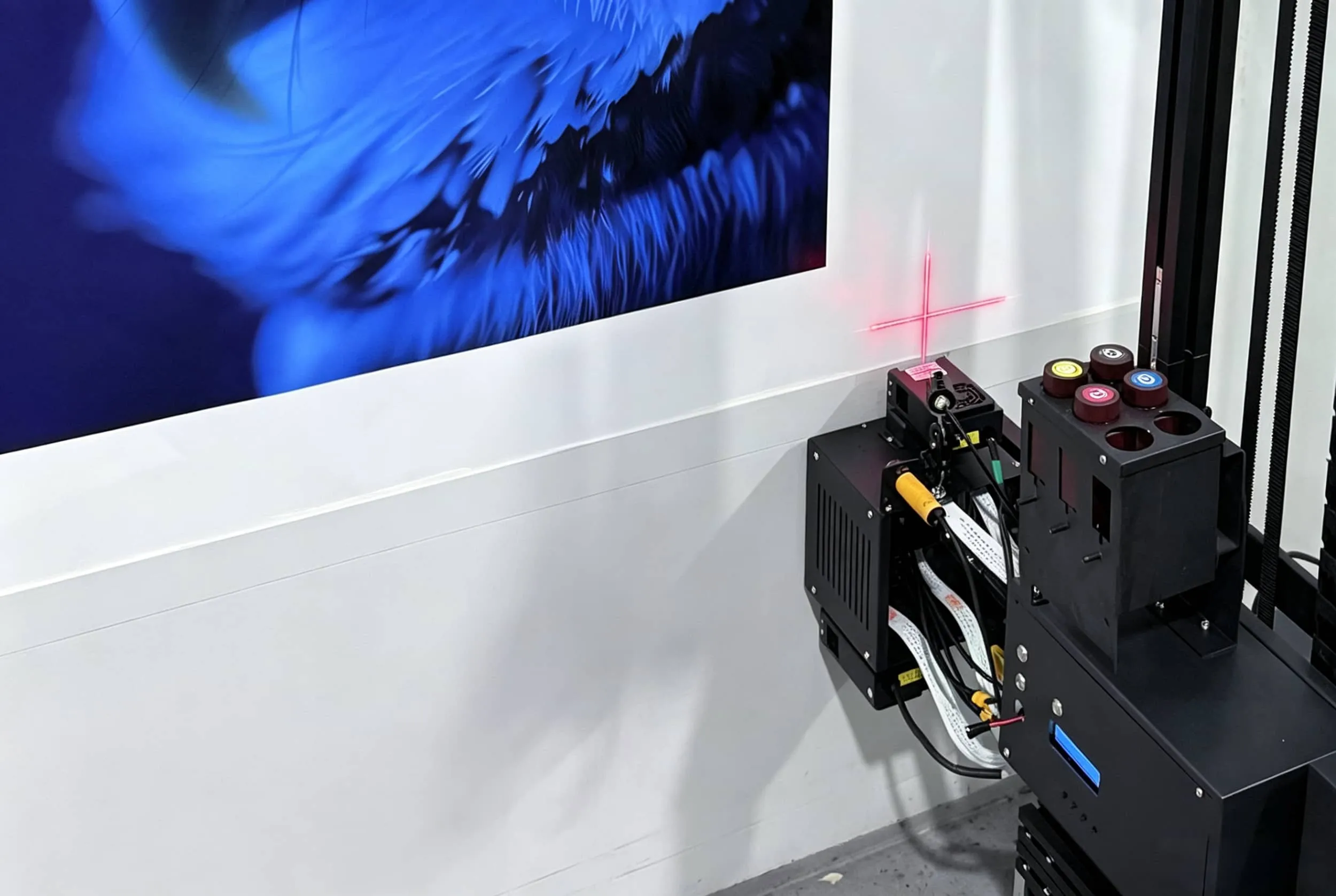
For a vertical wall printer, distance sensing and motion stability can have as much influence on visible wall quality as the printhead itself.
That is why buyers should ask to see the same machine print:
A photograph.
Fine text.
A gradient.
A dark image.
A textured wall.
A 5–10 m² continuous mural.
A short factory sample does not tell you enough.
Does I3200 Perform Better on Rough Walls?
Not automatically.
This is one area where I would remove some of the stronger claims from the original draft.
The I3200 does not physically flatten a rough wall. If the printhead is too far from the surface, droplets spread more before reaching the wall and fine detail becomes harder to maintain regardless of nozzle count.
A rough-wall project therefore depends heavily on the wall printer's distance-control system.
When comparing machines, ask:
How close does the head normally print to the wall? How much wall variation can the distance sensor compensate for? What happens when the wall suddenly moves toward the printhead?
Those answers are more useful than comparing maximum DPI.
2. Which Is Easier to Maintain: I3200 or DX7?
For a wall-printing business, this may be more important than the speed difference.
A clogged or damaged printhead does not generate revenue.
DX7 Has One Important Problem: It Is an Older Platform
DX7 has been used successfully in printers for many years, so technicians are familiar with it and many existing machines were designed around it.
But that maturity has a downside.
The market now contains original, coded, compatible and refurbished DX7 heads. Current printhead sellers specifically distinguish different coded DX7 versions, while wall-printer specialists warn that genuine new units are becoming harder to distinguish from refurbished stock.
So if you are buying a new DX7 wall mural printer, ask:
What exact DX7 part number is installed?
Is it new or refurbished?
Is it original Epson?
Where will my replacement head come from?
What happens if this version becomes difficult to source?
For an existing DX7 machine, staying with DX7 may still be perfectly reasonable.
For a completely new machine that you expect to operate for several years, replacement availability should influence the decision.
I3200 Is the More Current Platform
The I3200 remains part of Epson's current OEM PrecisionCore lineup. Epson lists it for industrial applications with aqueous, UV and eco-solvent variants depending on the exact model.
That makes I3200 more attractive to buyers concerned about future platform support.
But do not stop at hearing:
“Epson I3200.”
Ask for the complete model number.
For wall printers using UV ink, the exact UV-compatible head variant matters.
This is particularly important because the original draft treats “I3200” as if every version were interchangeable. They are not.
What About White Ink?
White ink is one of the biggest maintenance issues in many UV wall printers, but this is often misunderstood as a printhead problem.
White pigment settles.
A good machine therefore needs a properly engineered white-ink system with circulation or agitation, stable negative pressure and suitable maintenance procedures.
Importantly, Epson's standard I3200 specifications do not show built-in nozzle-level ink recirculation on the head itself.
So if a supplier tells you:
“I3200 automatically solves white-ink settling because the printhead circulates the ink,”
ask them to explain the machine's actual ink path.
The circulation may be implemented by the wall printer manufacturer rather than inside the printhead.
When evaluating a 3D wall printer with CMYK + White, ask how white ink moves through:
Tank → tubing → damper → printhead → return system
and what happens when the machine sits unused for several days.
That tells you much more about clogging risk than the printhead name alone.
Which Printhead Lasts Longer?
I would not publish a fixed answer such as:
DX7 = 1 year, I3200 = 2 years.
Printhead life varies too much.
The main causes of premature failure include:
Wrong ink.
Poor white-ink maintenance.
Blocked nozzles.
Head strikes.
Incorrect cleaning.
Long periods of inactivity.
Dust.
Temperature and humidity.
Poor ink pressure control.
Electrical problems.
For a wall printer specifically, head strikes can be a major risk because the printer works against a real architectural surface rather than perfectly flat media on a printing table.
Instead of asking suppliers for one lifespan number, ask:
How much is a replacement head?
Is it stocked?
Does printhead damage fall under warranty?
What maintenance routine is required?
Can I replace and recalibrate it remotely with technical support?
That gives you a much more realistic picture of ownership cost.
3. Should You Buy an I3200 or DX7 Wall Printer?
For most new buyers, I would start with the I3200.
Not because DX7 cannot print good murals, but because the I3200 gives a new wall-printing business a more current platform with greater productivity potential and a clearer upgrade path.
Choose I3200 If You:
Plan to run the machine commercially.
Expect regular paid projects.
Want faster production.
Print larger murals.
Expect your business volume to grow.
Want a newer printhead platform.
Care about long-term replacement availability.
Frequently print photographs, gradients and detailed commercial artwork.
For someone starting a serious wall printing business rather than simply experimenting with the technology, these advantages become increasingly important.
Saving 30–60 minutes on one job may not sound significant.
Saving that time across dozens of projects does.
DX7 Can Still Make Sense If You:
Already own a DX7-based machine.
Have technicians familiar with the platform.
Have a reliable supply of genuine replacement heads.
Do relatively low-volume work.
Are buying primarily around a lower initial investment.
Know exactly which DX7 version the machine uses.
In those situations, replacing a functioning DX7 platform simply because I3200 is newer may not produce enough business value to justify changing the entire machine.
Do Not Choose a Wall Printer From the Printhead Alone
This is probably the most important point in the article.
If two suppliers quote you an I3200 machine, those machines are not automatically equivalent.
Before buying a professional wall printer, compare the complete system:
What to Compare | Why It Matters |
|---|---|
Exact printhead model | Confirms ink compatibility and replacement availability |
Normal print speed | More useful than maximum demo speed |
Wall-distance sensing | Protects the head and keeps output consistent |
Motion system | Affects alignment and image sharpness |
White-ink circulation | Critical for dark-wall and UV printing reliability |
Ink system / negative pressure | Influences stable jetting |
Software and RIP | Affects workflow, color and large mural setup |
Printhead replacement cost | Major ownership expense |
Spare-parts availability | Determines downtime |
Training and remote support | Especially important for first-time buyers |
A well-designed DX7 machine can be a better purchase than a badly engineered I3200 machine.
But if the two machines are comparable in overall build quality, service and software, I3200 is generally the stronger option for a new commercial buyer.

Conclusion
So, Epson I3200 vs DX7—which printhead is better for a wall printer?
For most buyers purchasing a new commercial wall printer, I would choose the Epson I3200.
It provides more nozzles, greater throughput potential and a newer Epson printhead platform. Epson currently lists the I3200 as part of its PrecisionCore industrial printhead range, while DX7 is now primarily encountered as an older platform through existing machines and aftermarket supply channels.
That does not make DX7 a bad printhead.
DX7 can still make sense for an existing machine, a lower-volume business or an operator who already has reliable access to compatible parts and technical experience.
The purchasing rule is simple:
Starting a new commercial wall-printing business → prioritize I3200.
Maintaining an existing DX7 platform → DX7 may still make economic sense.
Choosing between two actual wall printers → compare the complete machine, not just the printhead label.
Pay particular attention to wall sensing, printhead distance, white-ink circulation, real production speed, replacement-head availability and after-sales support.
Those factors will affect your business far more than another impressive DPI number on a product page.
If you are comparing printhead configurations, send WallPrintGear your typical wall materials, mural size, expected monthly workload and whether you plan to print with CMYK or CMYK + White. The team can help you compare the machine configuration around the jobs you actually expect to sell.