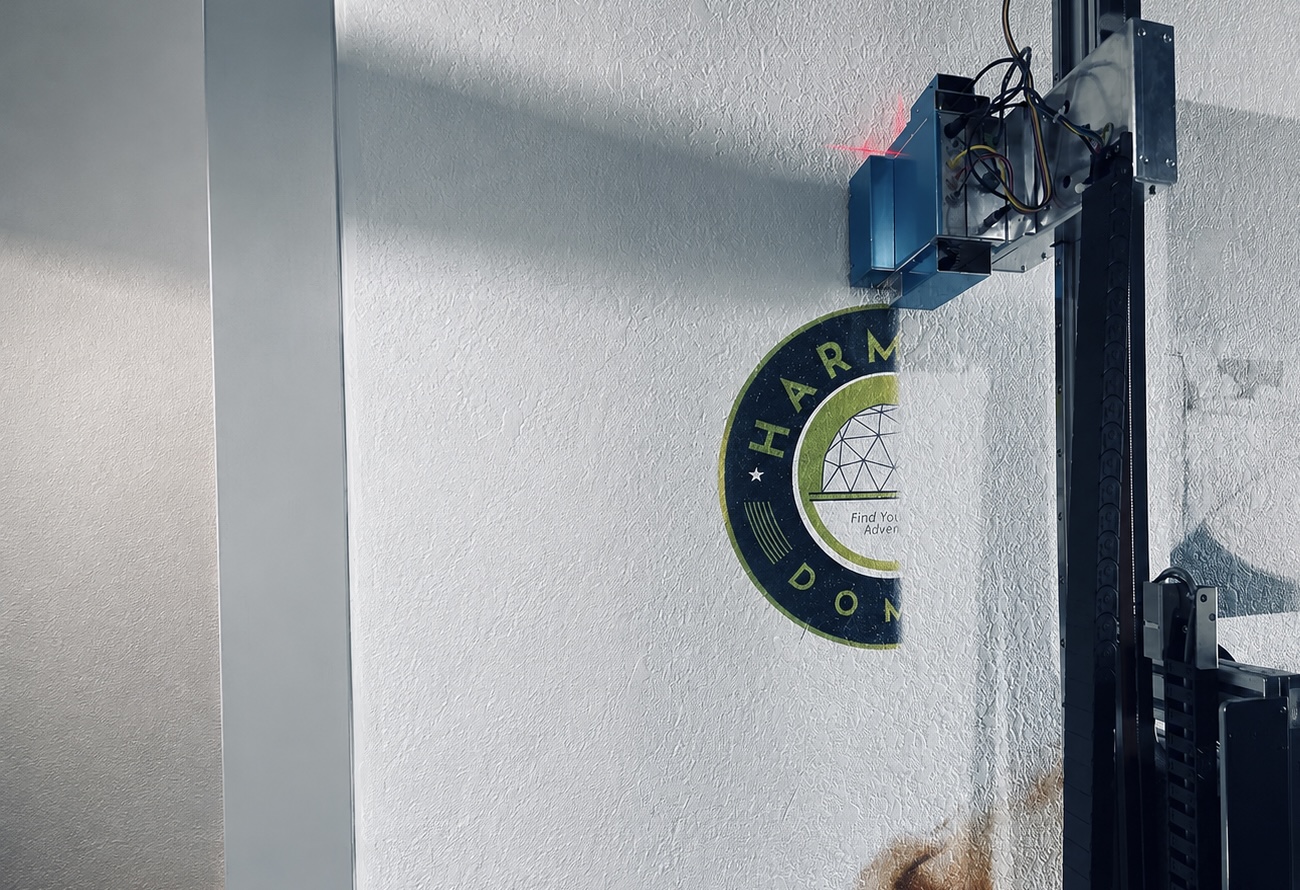
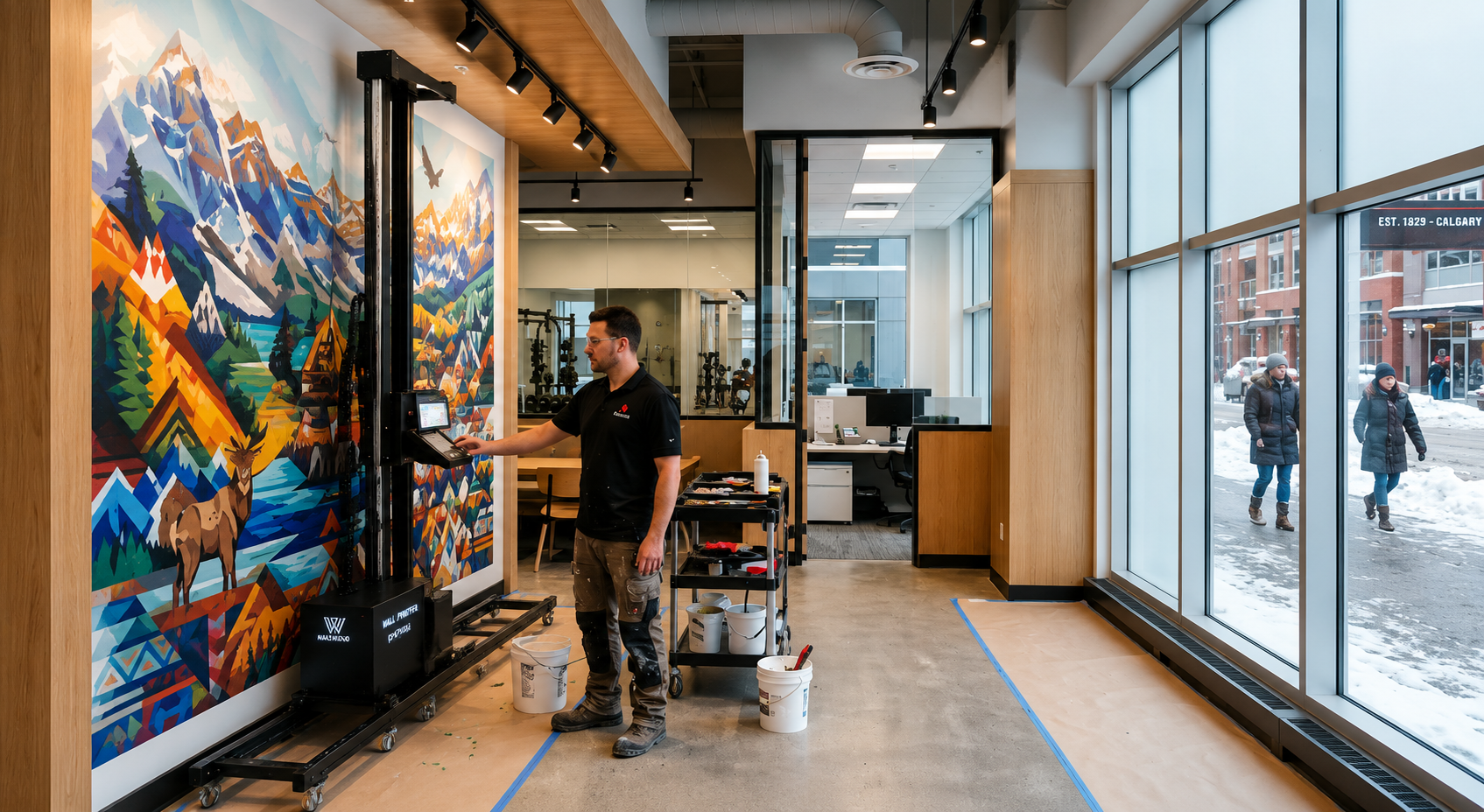
Choosing a wall printer is not simply about comparing DPI, advertised speed, or purchase price.
A machine that performs well on smooth bedroom walls may be too slow for a large hotel project. A printer designed mainly for indoor murals may struggle with brick, concrete, glass, or outdoor surfaces. Even a technically capable machine can become a poor investment if it is difficult to transport, complicated to operate, or unsupported when a part fails.
The right wall printer is the one that matches the projects you can realistically sell, produces acceptable quality on your target surfaces, and recovers its total investment within a reasonable period.
This guide explains how to evaluate those factors before you choose a machine or supplier.
Start With The Work You Expect To Sell
Before comparing brands, define the projects you expect to complete during your first 12 months.
Business Application | Typical Projects | Most Important Machine Requirements |
|---|---|---|
Residential murals | Bedrooms, living rooms, cafés, accent walls | Portability, easy setup, low odor, fine image detail |
Commercial interiors | Restaurants, hotels, offices, retail stores | UV and white ink, stable quality, professional RIP software |
Outdoor murals | Brick, concrete, façades, advertising walls | UV curing, wall-distance sensing, stronger surface adaptability |
High-volume contracts | Large murals, multiple locations, repeat installations | Higher productivity, robust frame, automation, dependable support |
A residential operator may complete only one or two walls per day. In that situation, portability and ease of operation can be more valuable than maximum production speed.
A commercial contractor has different priorities. Large projects require consistent color, stable operation, and enough real production capacity to meet deadlines.
Do not buy for the business you hope to have several years from now. Buy for the work you can realistically secure during the next 12 months, while leaving enough capacity for sensible growth.
Choose The Ink System Around Your Target Surfaces
The ink system determines which materials you can print on and which customer requests you may have to reject.
UV Wall Printers Offer Greater Application Flexibility
For businesses that want to serve residential, commercial, and selected outdoor applications, a UV wall printer is usually the more flexible option.
UV ink is cured by an LED lamp during printing, so the image becomes touch-dry almost immediately. With appropriate surface preparation, UV systems can work on painted walls, concrete, brick, wood, glass, metal, and tile.
A configuration with CMYK + White ink is especially useful on dark or transparent materials. The white layer creates an opaque base beneath the color image, preventing the background from making the finished mural look dull or transparent.
The advantage is not simply better color. It is a broader range of jobs. A UV machine may allow one operator to quote a painted restaurant wall, a dark retail feature wall, and a glass branding panel without purchasing separate equipment.
The trade-off is greater maintenance. UV printheads and white-ink circulation systems must be cleaned and operated correctly. Before buying, ask the supplier to demonstrate the daily maintenance routine rather than relying on a statement such as “easy to maintain.”
Water-Based Systems Suit Predictable Indoor Work
Water-based wall printers are generally best suited to smooth, absorbent indoor surfaces such as painted drywall and plaster.
They can be attractive for residential businesses because they usually have low odor, straightforward maintenance, and lower consumable costs. However, they are less suitable for non-porous materials, dark walls, rough masonry, and outdoor exposure.
A water-based machine may be sufficient when almost all your expected work involves standard indoor walls. If you plan to expand into hotels, retail spaces, exterior murals, glass, wood, or other special materials, a UV system normally offers more room for growth.
Test Real Printing Speed—Not The Brochure Number
Maximum speed is one of the least useful specifications when presented without context.
A supplier may advertise 15 or 20 m²/h, but that number may have been recorded at low resolution, with few passes, no white ink, a simple image, and a perfectly smooth test wall.
Production-quality work is normally slower. For detailed murals using higher resolution and six to eight passes, many single-head systems may operate closer to 2–4 m²/h. Multi-head machines can be faster, but the result still depends on image coverage, wall condition, print mode, and white-ink use.
The supplier should be able to provide a timed test showing the image size, total area, DPI, pass count, surface material, ink mode, and complete printing time.
A statement such as “up to 20 m²/h” has little value without these conditions.
A stronger question is:
How many acceptable customer projects can this machine complete in a normal working month?
That answer is more relevant to revenue than the maximum movement speed of the carriage.

Verify Quality On The Surfaces Your Customers Use
High DPI does not automatically guarantee high-quality wall printing.
A machine may produce excellent results on a flat white panel but behave differently on textured plaster, brick, concrete, or dark paint. Real output depends on printhead condition, droplet control, machine stability, wall preparation, color profiles, and the distance between the printhead and the surface.
For uneven walls, an automatic wall-distance sensing system can be important. It helps maintain a stable printhead gap as the machine moves across small changes in the surface.
However, the existence of a sensor is not enough. Ask the supplier to show it operating on a visibly uneven wall and confirm how the machine responds when the surface moves beyond the safe range.
Before paying a deposit, send the supplier one of your own images and request tests on materials similar to your expected projects. Ask for close-up photos, full-wall images, and an unedited printing video.
A test on your material is more persuasive than a hundred sample images printed on an ideal showroom wall.
Check Effective Print Height And Job-Site Portability
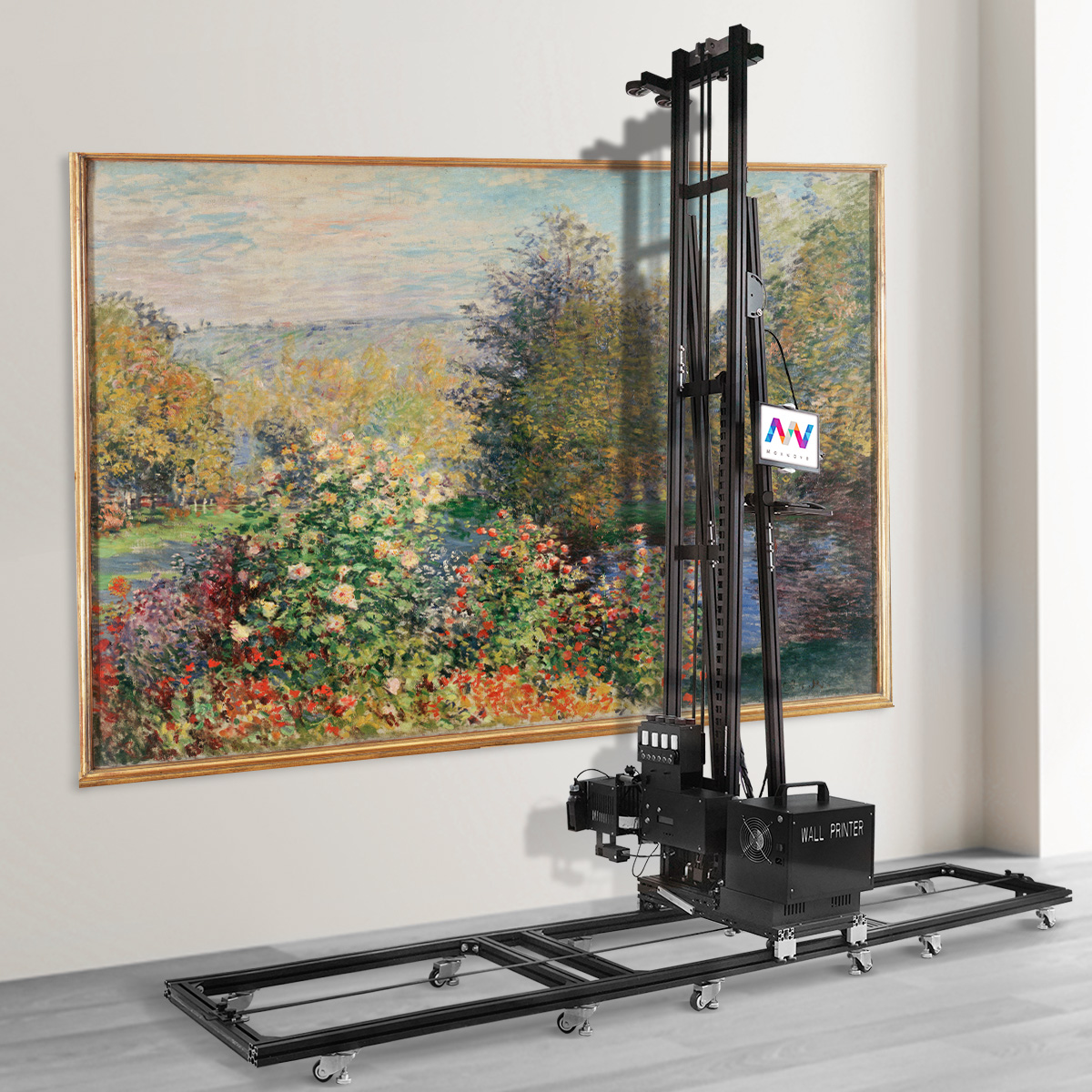
A machine advertised as three or four meters high does not necessarily provide the same usable print height.
The base structure creates an unprintable area near the floor, while the top rail and carriage create another dead zone near the ceiling. Ask for the effective printable area, including the minimum distance from the floor and ceiling.
This matters when quoting full-height walls, hotel lobbies, stairwells, or commercial spaces with high ceilings.
The machine must also fit the way your business operates. For mobile services, confirm its packed dimensions, component weights, assembly time, transport requirements, and the number of people needed for installation.
A machine that takes more than an hour to assemble or requires a large truck may reduce the number of jobs you can complete, even if its print speed is high.
Portability is therefore not just a convenience. It affects labor cost, daily scheduling, and the geographic area you can serve profitably.

Calculate The Complete Investment, Not Just The Machine Price
A low quotation can become expensive once all required items are added.
The complete startup cost may include freight, import duties, ink, spare parts, software, training, voltage protection, extension rails, transport cases, insurance, and customer-acquisition expenses.
Depending on the destination and machine size, freight and import-related costs may add $800 to $2,000 or more. White ink, additional printheads, automatic alignment, extended height, or stronger warranty coverage can add another 20% to 50% to a basic configuration.
Maintenance should also be budgeted before purchase. A planning reserve of approximately 8% to 12% of the machine price during the first year may be reasonable when it includes a spare printhead and essential electrical, ink-system, or sensor components. Your actual requirement will depend on the printhead, workload, maintenance discipline, and supplier terms.
When comparing quotations, ask every supplier to provide the same information:
Exact printhead and ink configuration
Software and license terms
Included accessories and spare parts
Training and support
Shipping terms and estimated landed cost
Warranty exclusions
Only then can you compare the machines fairly.
Calculate ROI Using Conservative Orders
A wall printer machine should be treated as a revenue-producing asset, not simply as equipment.
The basic calculation is:
Payback Period = Total Startup Investment ÷ Average Monthly Net Profit
Net profit must be calculated after ink, surface preparation, labor, transportation, marketing, maintenance, and fixed overhead—not from revenue alone.
Consider an illustrative startup with a total investment of $12,000. The operator prints 60 m² per month and charges an average of $35 per m².
Monthly revenue would be $2,100. If labor, consumables, travel, and other variable costs total $12 per m², those costs would be $720. After another $600 in fixed monthly overhead, estimated net profit would be $780.
At that level, the theoretical payback period would be approximately 15 months.
If monthly volume increased to 100 m² under the same assumptions, estimated monthly profit would rise significantly and the payback period would fall.
This does not guarantee a specific return. It demonstrates the point that selling price and order volume have far more influence on ROI than a small difference in ink cost.
Use conservative assumptions for the first six to twelve months. A machine sitting idle has no meaningful payback period, regardless of its advertised margin.
Examine The Software Workflow Before Buying
Software determines whether a machine is practical on real projects.
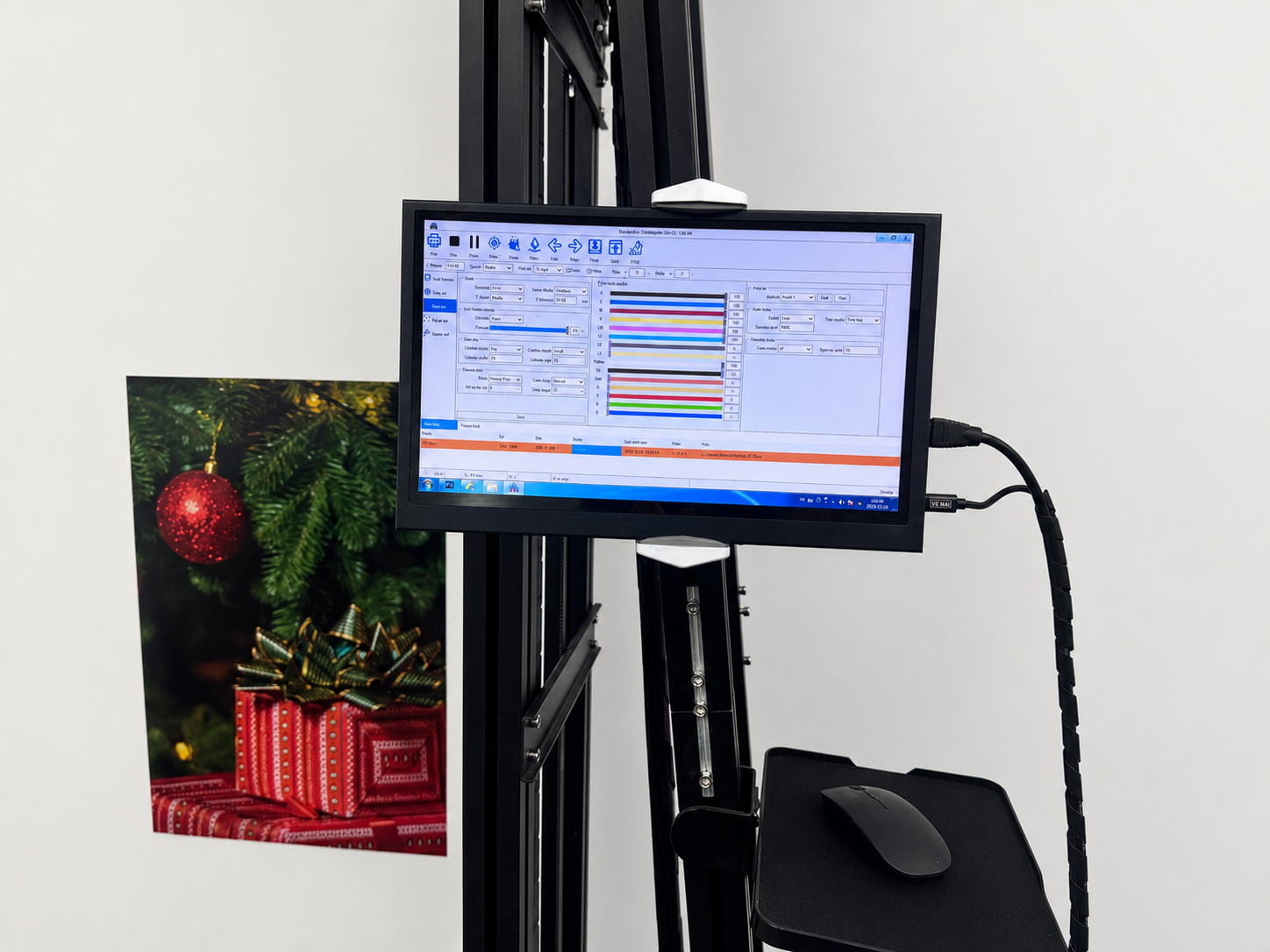
The RIP and control system should support color and white-ink separation, ICC profiles for different surfaces, image tiling for large murals, adjustable print modes, and the file formats used by your customers and designers.
For mobile operations, essential functions should work without a permanent internet connection. Construction sites, hotels, and customer homes may not provide reliable Wi-Fi.
Two functions deserve particular attention.
Power-loss recovery should allow an interrupted print to resume from a verified position rather than forcing the operator to restart the entire mural.
Pause-and-resume position control should maintain alignment after cleaning, inspection, or a temporary stop.
Do not accept these functions as text on a specification sheet. Ask for a live demonstration. Interrupt a test print, restart the machine, and inspect the alignment at the recovery point.
Features such as these are one reason a business-ready configuration can be more valuable than a low hardware price. For example, WallPrintGear wall printer positions its factory-direct wall printer systems around functions such as automatic wall-distance sensing, power-loss recovery, software workflow support, and up to seven-color printing with CMYK + W + LM + LW on applicable configurations.
The important point is not the feature count itself. It is whether those features reduce setup time, protect a live job, or expand the work you can sell. Buyers should confirm the final configuration through a sample test and formal quotation.
Evaluate The Supplier As Carefully As The Machine
A wall printing machine is specialized equipment. When it stops, the loss is not limited to the repair bill. You may also lose a scheduled project, pay staff for idle time, or damage a customer relationship.
Before purchasing, confirm the warranty period, printhead coverage, spare-parts prices, technical response procedure, and software-update policy.
Ask where essential parts are stocked. A lower-cost machine may become the more expensive option if a control board or sensor takes several weeks to arrive.
Training should cover more than assembly. A credible program should explain calibration, nozzle tests, printhead cleaning, white-ink circulation, error handling, software setup, and daily shutdown procedures.
The supplier should also be able to provide real project videos, written maintenance instructions, troubleshooting procedures, and remote diagnostic support.
A useful way to evaluate any supplier is to ask for evidence rather than promises:
What exactly is covered by the warranty?
Which parts are included with the machine?
How is training delivered?
What happens when a production-stopping fault occurs?
How quickly can the required part be dispatched?
WallPrintGear, for example, presents its wall printer as part of a broader startup package rather than hardware alone, combining the machine with operating resources, software guidance, training materials, and business-planning tools. This approach can reduce the number of separate systems a new operator must arrange, but buyers should still verify the exact included items, response terms, and replacement-part availability in writing.
“Lifetime support” is a marketing phrase. A documented process, named contact channel, parts list, and response procedure are evidence.
Run A Purchase Acceptance Test Before Final Payment
Before making the final payment, the supplier should demonstrate that the machine meets the agreed requirements.
Use your own artwork and a representative wall surface. Record the quality-mode speed, effective print height, white-ink result, wall-distance sensing, software workflow, and power-loss recovery.
Inspect fine text, gradients, solid-color areas, edge sharpness, and alignment at the recovery point. Confirm that the software version, printhead model, accessories, spare parts, and ink configuration match the quotation.
Every promise that affects the buying decision should appear in the contract or acceptance document.
This converts the purchase from “trusting the brochure” into verifying measurable performance.
Which Wall Printer Should You Choose?
An entry-level wall art printer is appropriate when you are testing demand, mainly serving residential clients, and expect relatively low monthly volume.
A commercial UV wall printer is usually more suitable when you need white ink, multiple material compatibility, indoor and outdoor applications, and enough stability for regular paid work.
An industrial system is justified when you already have recurring commercial contracts, higher monthly volume, strict deadlines, and a clear need for greater automation or local service.
The best wall printer is not the cheapest machine or the model with the highest specifications. It is the machine that passes your real-material test, fits your workflow, and supports a believable path to profitability.
Conclusion
Choosing a wall printer is ultimately a business decision supported by technical evidence.
Define your customers, target materials, typical mural size, expected monthly workload, available budget, and required payback period. Then compare machines using timed production tests, actual surface samples, complete landed costs, software demonstrations, and written support terms.
Avoid paying for capacity you cannot use. At the same time, do not save money by choosing a system that prevents you from accepting valuable projects or leaves you without support when something fails.
To evaluate a WallPrintGear configuration, submit your main wall materials, typical project size, required print height, and expected monthly volume. Request a timed sample print, an itemized delivered quotation, and an ROI calculation based on your local prices. A recommendation built around your real projects is far more useful than a generic specification sheet.