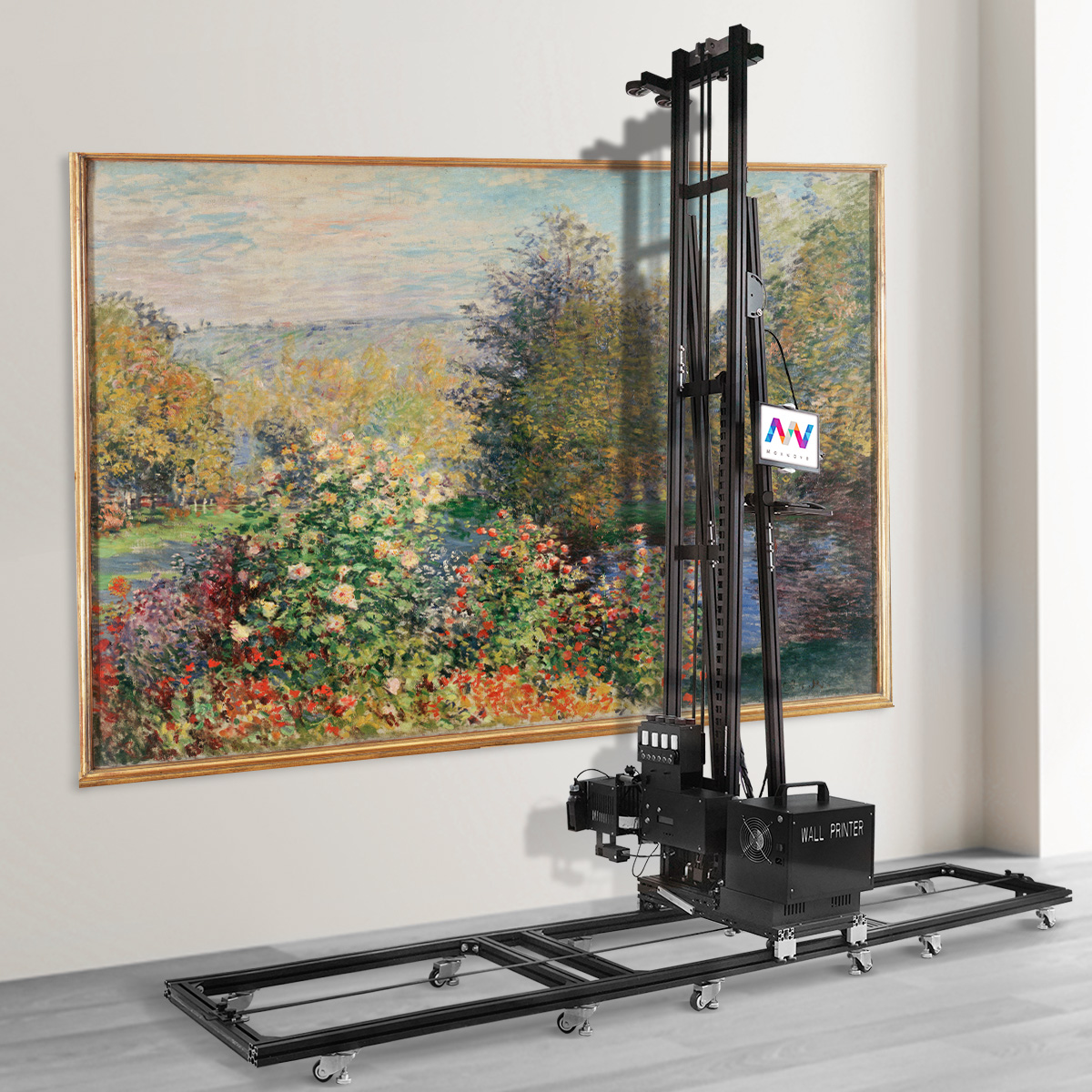
Two wall printers can look almost identical in a product photo yet carry very different prices.
One supplier may quote only a few thousand dollars, while another asks several times more for a machine that appears to offer the same basic function: printing images directly onto walls.
The difference is not always simple brand markup.
Wall printer prices are affected by the printhead, motion system, frame, ink configuration, software, sensors, production capacity, technical support, and what is actually included in the quotation.
A low-cost machine may be suitable for testing the market or completing occasional indoor murals. A higher-priced commercial system may be designed for daily operation, more difficult wall surfaces, faster troubleshooting, and stricter customer deadlines.
The right question is not simply, “Why is this machine more expensive?” It is, “Which of these added costs will create value for my actual business?”
Wall Printer Price Factors at a Glance
Price Factor | What a Lower-Priced System May Offer | What Usually Raises the Price |
|---|---|---|
1. Printhead | Older or single-head configuration | Newer, faster or dual-head system |
2. Motion system | Basic stepper control | Closed-loop or servo positioning |
3. Frame structure | Lightweight portable frame | Reinforced rails and greater rigidity |
4. Ink system | Basic CMYK or simple white-ink setup | Stable circulation, larger tanks and better filtration |
5. Software | Limited or basic RIP software | Licensed RIP, ICC profiles and white-layer control |
6. Sensors | Manual wall setup | Automatic distance sensing and collision protection |
7. Production speed | Lower output in quality mode | Faster carriage, data processing and curing |
8. Resolution control | Fixed or limited print modes | Adjustable DPI and multi-pass options |
9. Height and portability | Standard-height system | Extension rails, cases and faster assembly |
10. Electrical and environmental design | Basic indoor configuration | Better power regulation, cooling and dust protection |
11. Support and warranty | Remote assistance with limited coverage | Training, parts inventory and structured service |
12. Manufacturing and package scope | Machine-only factory price | Quality control, accessories and complete startup package |
The lowest-priced machine may still be the right option. However, buyers should understand exactly which capabilities, components, and services have been removed to achieve that price.
1. Printhead Model and Configuration
The printhead is one of the most important and expensive parts of a wall printer.
It affects print speed, ink compatibility, nozzle count, color channels, droplet control, maintenance requirements, and replacement cost.
Lower-priced machines may use a single Epson DX-series or entry-level printhead. Higher-priced systems may use Epson I1600, I3200, Ricoh, or dual-head configurations.
A dual-head system may separate CMYK color ink from white ink, allowing both layers to be printed more efficiently. A single-head system is generally simpler and less expensive to maintain, but it may operate more slowly when white ink is required.
The price should also reflect whether the printhead is new, refurbished, or removed from another machine.
Before comparing quotations, confirm:
What is the exact printhead model? Is it original and new? How much does a replacement cost, and how quickly can the supplier ship one?
A wall printing machine with a low initial price but an unavailable or expensive replacement head may create higher downtime costs later.
2. Vertical Motion and Positioning Accuracy
The motion system controls how accurately the printhead moves across the wall.
A wall printer must repeatedly position thousands of ink droplets while the carriage moves vertically and horizontally. Small mechanical errors can appear as banding, misaligned sections, distorted text, or inconsistent gradients.
Basic systems may use open-loop stepper motors. These systems assume that the motor has completed every commanded movement but may not provide real-time position feedback.
Commercial systems may use closed-loop motors, encoders, servo drives, precision rails, or more advanced motion controllers. These components help detect and correct positioning errors before they become visible in the mural.
The difference may not be obvious during a short sample print. It becomes more important on tall walls, detailed geometric artwork, long production runs, and multi-section murals.
Ask the supplier to complete a tall gradient or geometric test print. Smooth color transitions and straight lines reveal motion quality more clearly than a busy photograph.
3. Frame Rigidity and Structural Quality
The frame supports the printhead, motors, rails, sensors, ink lines, and control components.
A lightweight machine may be easier to transport, but reducing too much material can introduce vibration or frame movement during wall printing.
When the frame flexes, the printhead distance and carriage alignment may change. This can reduce edge sharpness and create visible inconsistencies across the image.
Higher-priced systems may use larger aluminum profiles, reinforced joints, better cross-bracing, more accurate rails, and stronger mounting components.
This does not mean the heaviest printer is always the best. Portability remains important for residential and mobile mural businesses.
The goal is to find a structure that is light enough to transport but rigid enough to maintain accuracy at the intended print height and speed.
Ask for the machine’s total weight, individual component weights, profile dimensions, assembly method, and a video showing the printer operating near its maximum height.
4. Ink System and White-Ink Management
The ink system affects both the purchase price and the long-term operating cost.
Basic systems may use CMYK ink only. UV wall printers designed for dark walls, glass, wood, tile, metal, and other special materials usually add white ink.
White ink expands the machine’s application range, but it also introduces additional engineering requirements. White pigment settles more easily than standard color ink and therefore needs reliable circulation, agitation, filtration, and cleaning.
A poorly designed white-ink system may experience sedimentation, blocked filters, inconsistent output, or printhead clogging.
Higher-priced ink systems may include automatic circulation, larger ink tanks, controlled negative pressure, better tubing and seals, additional filters, and automated cleaning functions.
Buyers should also confirm whether the machine uses an open bulk-ink system or requires ink from one supplier.
Ask for the ink price per liter, starter quantity, expected consumption under stated test conditions, cleaning-fluid cost, white-ink maintenance process, and warranty rules for third-party ink.
The cheapest ink system is not the one with the lowest price per liter. It is the one that provides stable printing without excessive cleaning, waste, or downtime.
5. RIP Software and Color Management
A wall printer cannot produce professional results through hardware alone.
The RIP software processes the artwork and controls resolution, ink channels, pass count, white layers, image scaling, color output, and print queues.
Lower-priced machines may include basic software with limited color management. Some quotations may include a temporary, restricted, or unofficial license.
More complete systems may include legally licensed RIP software, ICC color-profile support, white-ink control, multiple quality modes, file tiling, and parameter memory for different materials.
Software also affects usability. A stable visual workflow may allow a beginner to import artwork, set dimensions, position the image, and begin a test print without entering complicated parameters manually.
Before purchasing, confirm the software name, version, license type, supported file formats, language, offline capability, update policy, and replacement procedure if the control computer fails.
Software that stops working after an update can make the entire machine unusable, regardless of the hardware quality.

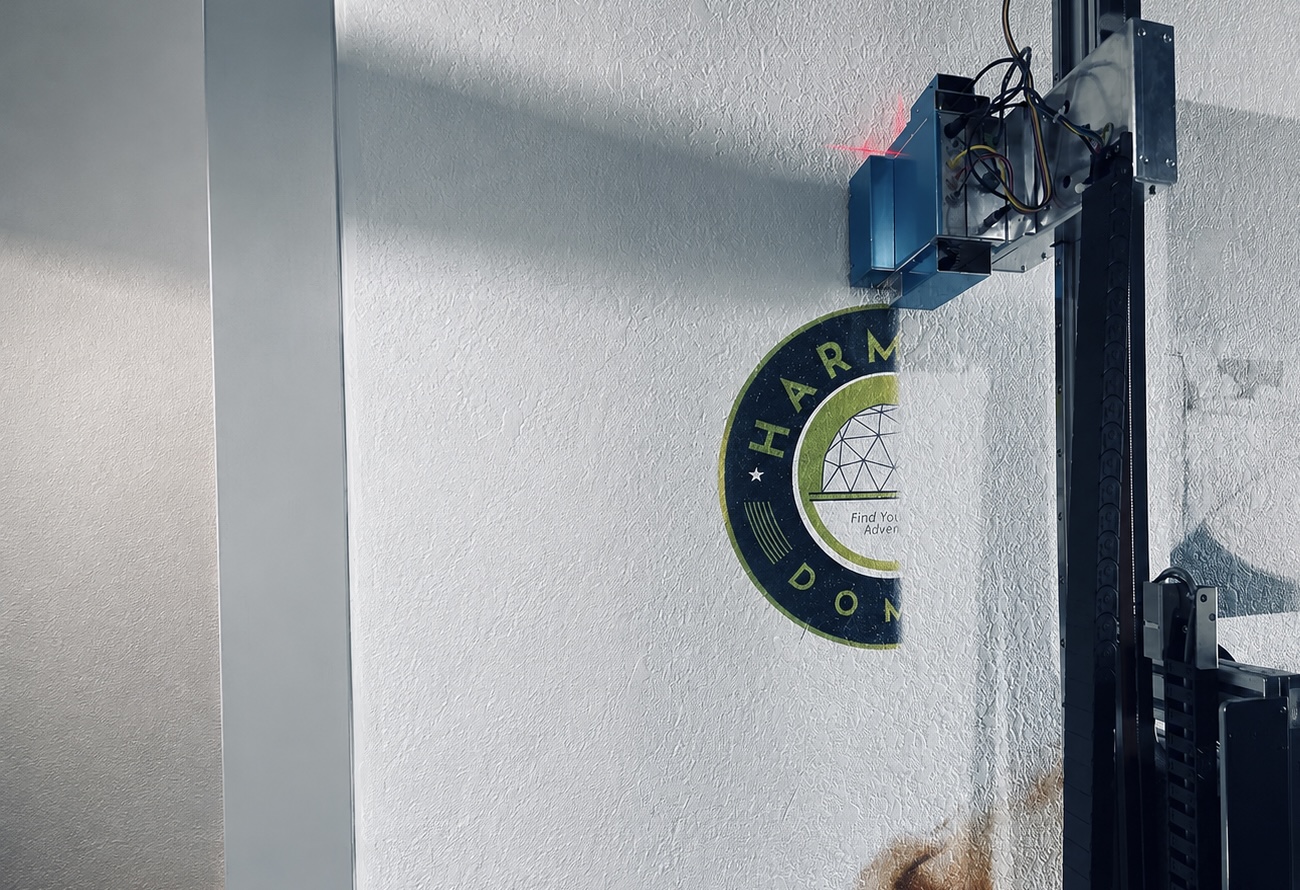
6. Automatic Wall-Distance Sensing and Safety Protection
Walls are rarely perfectly flat.
Painted drywall may contain small waves, while brick, concrete, textured plaster, and exterior coatings may have more significant variation.
If the printhead gets too close, it may strike the surface. If it moves too far away, ink droplets may lose accuracy and create blurred edges or overspray.
Entry-level wall printer machines may rely more heavily on manual measurement and fixed-distance setup.
Higher-priced systems may include laser or ultrasonic distance sensors, motorized distance adjustment, limit switches, and physical collision protection.
A useful sensing system should do more than display the distance. It should communicate with the motion controller and stop or adjust the machine when the wall exceeds the safe operating range.
Automatic sensing does not replace surface inspection. It also does not automatically select the correct ink density for each material.
Ask the supplier to demonstrate the sensing system on a visibly uneven surface—not only on smooth white drywall.
7. Real Printing Speed and Daily Output
Speed is one of the most misunderstood wall printer specifications.
A supplier may publish the fastest draft-mode result, measured on a smooth wall with a simple image and no white ink. The same machine may operate much more slowly when printing photographs, gradients, dark walls, or high-quality commercial murals.
Production speed is affected by the printhead, pass count, DPI, image coverage, white ink, UV curing, data processing, and wall texture.
A faster machine may cost more because it uses a higher-performance printhead, stronger motors, a faster control system, improved curing, or a dual-head configuration.
However, speed only creates value when the business has enough projects to use it.
A solo operator completing several murals per month may not benefit from the same production capacity as a decoration company managing multiple commercial sites.
Ask the supplier to perform a timed print using your artwork and target wall material. The demonstration should show setup, calibration, DPI, pass count, white-ink use, actual print time, and finished quality.
The most useful speed is not the highest number in the brochure. It is the speed at which the machine produces work your customer will accept.
8. Resolution and Multi-Pass Printing Options
Higher resolution can improve fine text, faces, linework, gradients, and photographic detail, but it also increases print time.
Wall printers may advertise maximum resolutions such as 1440 or 2880 DPI. These figures should not be compared without knowing the printhead, pass count, movement accuracy, ink droplet control, and wall texture.
A machine with lower advertised DPI but more stable mechanics may produce a better real-world mural than a poorly calibrated machine with a higher number.
Commercial systems often provide several print modes. Operators can use a faster setting for large outdoor graphics and a higher-quality multi-pass setting for close-view interior artwork.
This flexibility is more useful than one fixed maximum resolution.
Ask for samples containing small text, thin lines, faces, solid colors, and gradients. Compare them at the normal viewing distance for your projects.
The best resolution setting is the one that provides sufficient visible detail without making every job unnecessarily slow.

9. Print Height, Extension Rails and Portability
Standard print height varies between machines.
Some systems are designed primarily for ordinary residential walls, while others can be extended for hotels, lobbies, stairwells, commercial buildings, and tall exterior surfaces.
The advertised machine height may not equal the usable image height. The printhead carriage often requires clearance above and below the printable area.
Extension rails, longer cables, stronger motors, larger cases, and additional stabilization all increase the price.
Portability also affects the package cost. A mobile business may need protective transport cases, a modular frame, faster assembly, lower component weight, and a design that fits inside a van or elevator.
A taller wall art printer is not automatically better. Extra height may add cost and weight that a residential mural operator rarely uses.
Confirm the effective printable height, top and bottom margins, extension price, packed dimensions, heaviest component, setup time, and required number of operators.
Pay for the height and mobility your projects require—not the largest possible configuration in the catalog.
10. Electrical Quality, Cooling and Environmental Protection
Power supplies, wiring, grounding, cooling, and control enclosures are rarely the first things buyers compare, but they strongly affect reliability.
Low-grade electrical components may struggle with unstable voltage, UV lamp demand, motor loads, and long operating periods.
Commercial systems may include better voltage regulation, industrial power supplies, surge protection, cooling fans, filters, cable management, and more secure control enclosures.
Outdoor and semi-open projects introduce additional risks from dust, humidity, wind, temperature changes, and construction debris.
An “outdoor-capable” wall printer should not be assumed to operate safely in rain. The term should mean that vulnerable components have reasonable protection and that the machine can be used in controlled exterior conditions.
Ask about voltage requirements, total power consumption, grounding, recommended voltage stabilizer, cooling maintenance, operating temperature, dust protection, and outdoor-use limitations.
A high-resolution machine is not commercially reliable if its electronics cannot tolerate the conditions where you plan to use it.
11. Training, Warranty, Spare Parts and Technical Support
Two machines with similar hardware may have very different prices because one includes support and the other does not.
A machine-only quotation may provide remote documents and a short setup video. A more complete commercial package may include live installation assistance, operator training, maintenance instruction, troubleshooting, spare parts, and ongoing technical support.
Training should cover more than pressing the print button. Operators need to understand wall inspection, artwork preparation, calibration, white ink, test printing, cleaning, shutdown, and common error handling.
Warranty length alone is not enough. Buyers should confirm which components are covered, whether printheads are excluded, who pays freight, and how support works after the warranty expires.
Parts availability is equally important. A small failed sensor, pump, belt, or control board can stop production even when the rest of the machine is functioning normally.
Ask for current prices and delivery times for major spare parts before buying.
The value of support is measured when the machine stops during a customer project—not when it is printing correctly in the showroom.
12. Manufacturing Quality, Brand Premium and Package Scope
Part of the price difference comes from where and how the machine is produced.
A small assembler may purchase standard components and build machines in low volumes. A larger manufacturer may use documented assembly procedures, component testing, calibration records, burn-in testing, quality inspections, and batch traceability.
Regional brands may charge more because they maintain local staff, warehouses, showrooms, training centers, and technicians.
Some of that premium may create real value. Some may simply reflect marketing and distribution costs.
The package scope can also make two quotations appear more different than they really are.
One price may include only the printer. Another may include software, ink, rails, a computer, spare parts, cases, training, marketing resources, and delivered shipping.
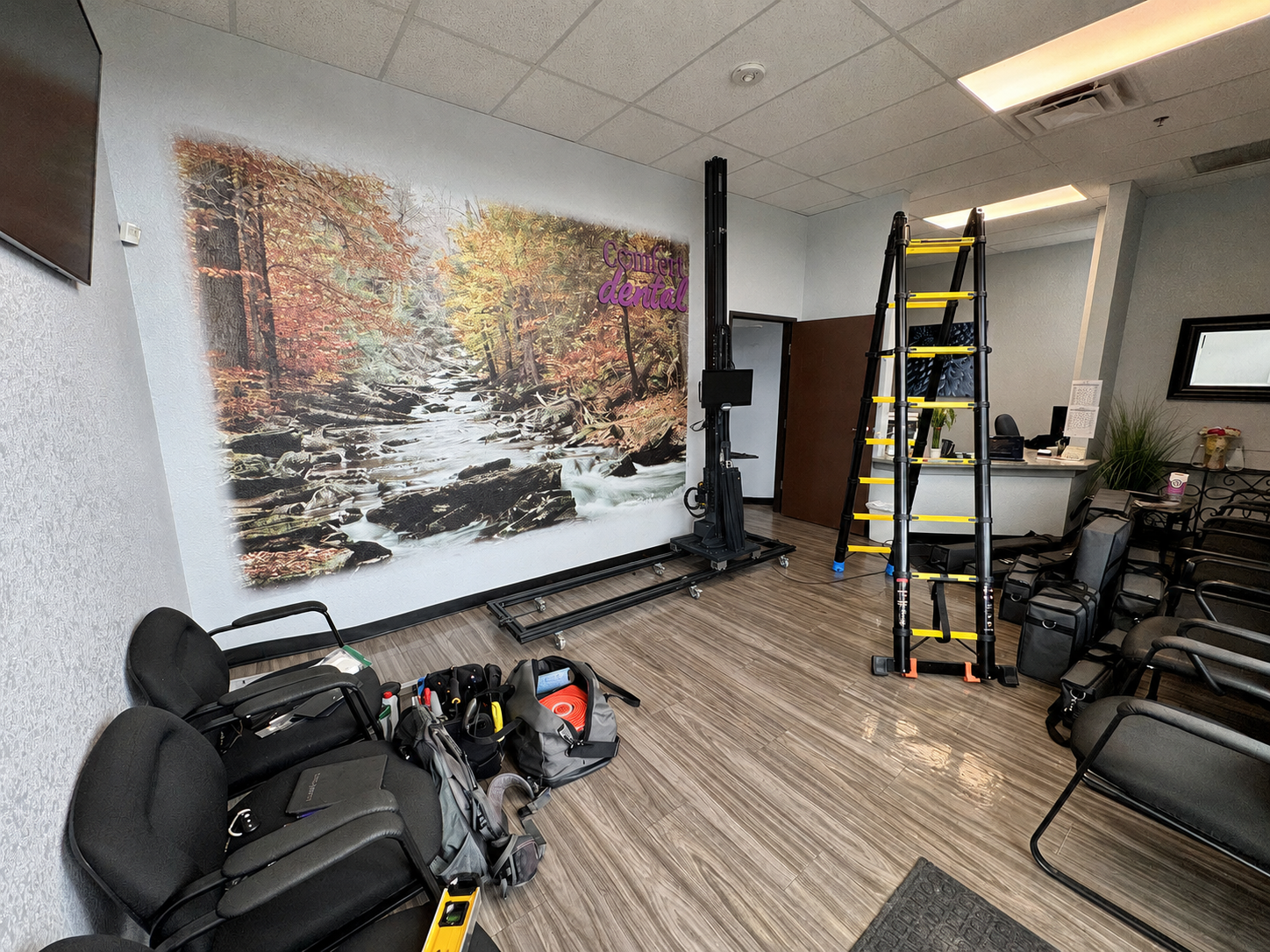
For example, WallPrintBox uses a Business-in-a-Box model that can combine the wall printer, software, ink, spare parts, setup guidance, operator training, marketing materials, and ROI-planning tools in one package.
This type of offer should be compared against the total cost of assembling the same operating system independently—not only against a factory machine price.
Ask for factory information, quality-control records, a detailed packing list, delivery terms, and written support coverage.
A justified brand premium should provide measurable improvements in quality control, training, delivery, parts, or service.
How Much Should You Spend on a Wall Printer?
The correct budget depends on workload, application range, and support requirements.
A lower-priced system may be sufficient when the buyer is testing the market, completing occasional murals, and mainly printing smooth indoor walls.
A better-equipped commercial system becomes more valuable when wall printing is a regular service, projects involve white ink and multiple materials, and customer deadlines make downtime expensive.
A premium regional system may make sense when local installation, rapid parts delivery, structured training, and defined service response are essential.
Do not purchase an industrial configuration simply because the business may grow in the future.
At the same time, do not choose the cheapest machine if it cannot complete the projects already in your pipeline.
The right price tier is the lowest one that meets your current production, quality, material, and support requirements without forcing an immediate upgrade.
What Should You Request Before Comparing Prices?
A fair comparison requires every supplier to quote the same scope.
Request an itemized delivered quotation showing the machine, printhead, ink channels, software, rails, accessories, starter ink, spare parts, training, shipping, taxes, warranty, and technical support.
Use the same artwork and wall material for every sample test. Ask each supplier to record the DPI, pass count, white-ink use, setup time, printing time, ink consumption, and finished result.
Also request written prices for replacement printheads, sensors, pumps, control boards, and other critical parts.
A low quotation is only meaningful when you know exactly what has been included—and what has been removed.
Conclusion
Wall printer prices differ because the machines are not truly identical, even when their photographs and headline specifications look similar.
The printhead, motion system, frame, ink management, software, sensors, production speed, resolution control, print height, electrical design, support, and manufacturing quality all affect the final price.
Some buyers only need a simple machine for occasional indoor work. Others need a commercial system capable of handling white ink, varied surfaces, regular transportation, and strict project deadlines.
The best-value wall printer is not the cheapest or most expensive model. It is the machine whose added cost solves a real production, quality, or support problem in your business.
Comparing wall printer quotations?
Send WallPrintBox your target wall materials, typical mural dimensions, expected monthly workload, preferred applications, budget, and delivery country. The team can recommend an appropriate configuration, arrange a sample print, and provide an itemized delivered quotation so you can see exactly what each part of the investment includes.