A wall printer that suddenly produces missing colors, thin white lines, or uneven graphics may have clogged printhead nozzles. For wall printing businesses, these problems can interrupt a mural project, waste UV ink, and delay customer orders.
However, not every printing defect means the printhead needs cleaning. Running unnecessary cleaning cycles wastes ink, while using the wrong cleaning fluid or applying excessive pressure can permanently damage the nozzles.
Whether you operate a UV wall printer for commercial murals or are maintaining a machine between projects, the safest approach is straightforward: check the nozzles first, use the appropriate cleaning cycle, and verify the results before taking further action.
This guide explains how to identify printhead clogs, perform routine cleaning, recognize when professional maintenance is needed, and avoid common mistakes that shorten printhead life.
1. How to Check Wall Printer Nozzles Before Cleaning
Before cleaning the printhead, determine whether the problem comes from blocked nozzles or another part of the wall printing system.
Missing colors and fine gaps may indicate clogged nozzles. However, blurred graphics, uneven print density, and horizontal banding can also result from incorrect printhead distance, unstable rails, ink delivery issues, or printing settings.
For a reliable diagnosis, start with the printer's built-in nozzle check function.
Run a Nozzle Check
Check the ink supply. Make sure the ink tanks contain sufficient ink and inspect the supply lines for visible air bubbles, leaks, or kinks.
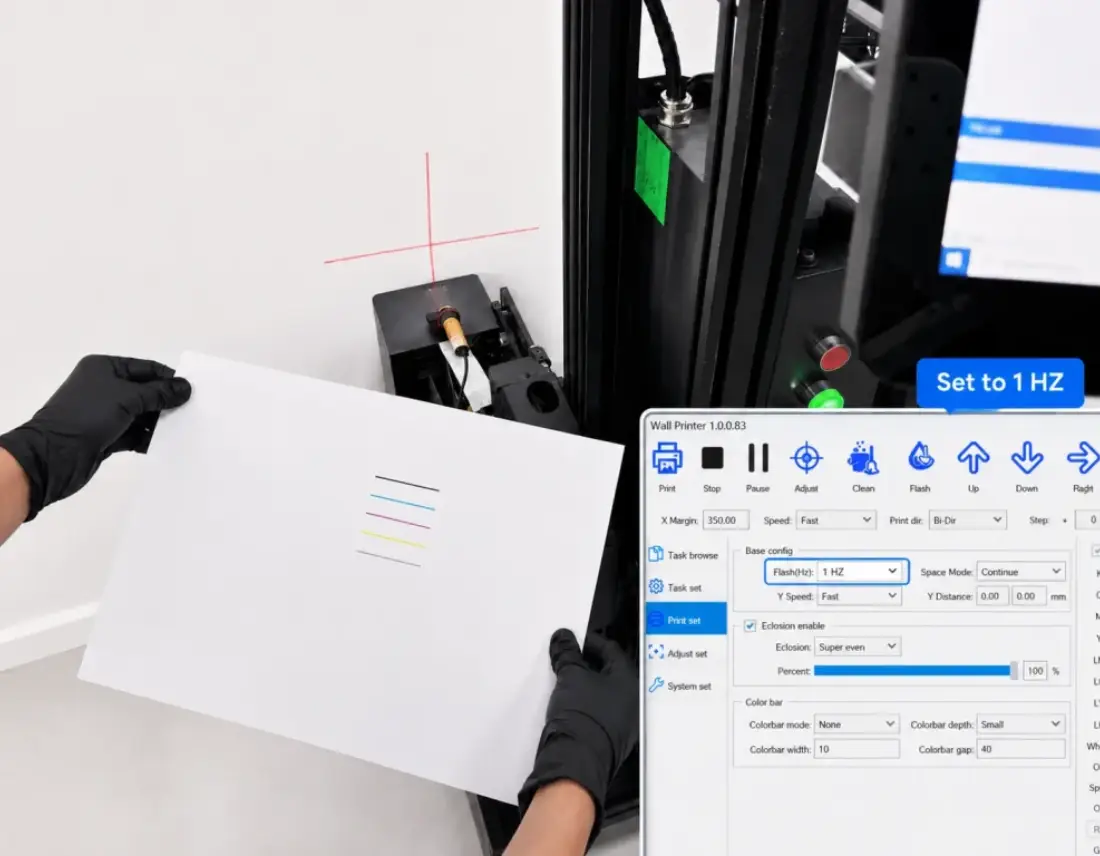
Prepare the test surface. Use the test medium and nozzle-check procedure specified for your wall printer. Some systems support a separate test sheet or service platform.
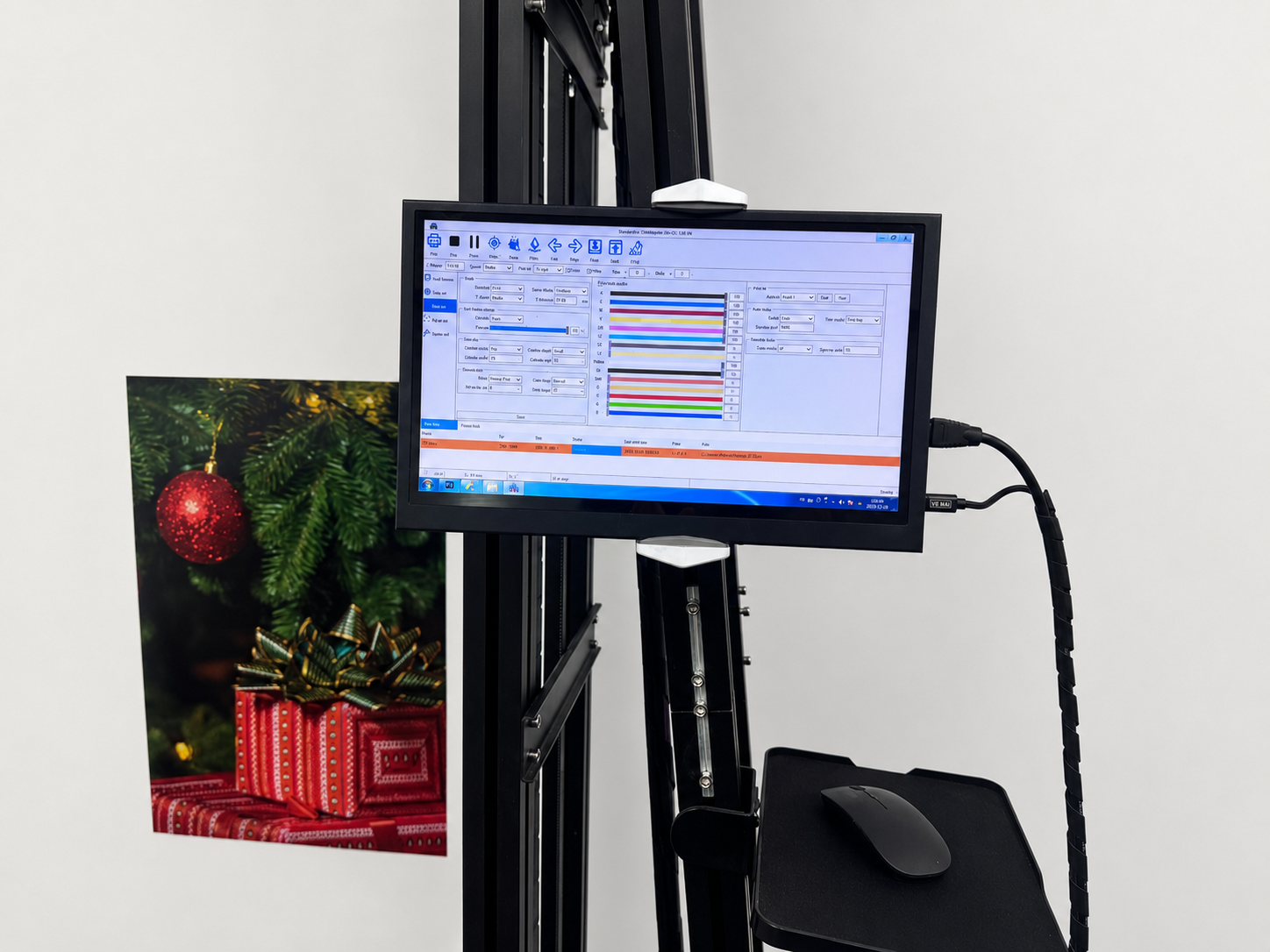
Open the maintenance software. Locate the Nozzle Check or Printhead Test function. Menu names vary by machine and controller.
Print the test pattern. Check all active color channels, including white ink if your printer uses it.
Inspect the results. Look for missing lines, incomplete sections, weak colors, or irregular nozzle output.
Keep a photograph of the original pattern. It provides a useful reference for evaluating cleaning results.
What Does the Nozzle Check Pattern Mean?
Nozzle Check Result | Possible Cause | Recommended Action |
|---|---|---|
Complete, continuous lines | No obvious nozzle blockage | Continue printing |
A few missing lines | Minor nozzle blockage or ink-flow interruption | Run one normal cleaning cycle |
Repeated gaps in one color | Clogged nozzles or an ink-supply issue | Clean and retest; inspect ink delivery if unchanged |
An entire color channel is missing | Ink starvation, air, or a more serious fault | Check the ink system and contact support if necessary |
Complete pattern but poor wall prints | Printhead distance, rail alignment, surface, or print settings | Inspect the printing setup instead of cleaning repeatedly |
Important: If the nozzle check is complete but your mural still shows defects, avoid unnecessary cleaning. Check the printer's alignment, printhead-to-wall distance, and surface conditions first.
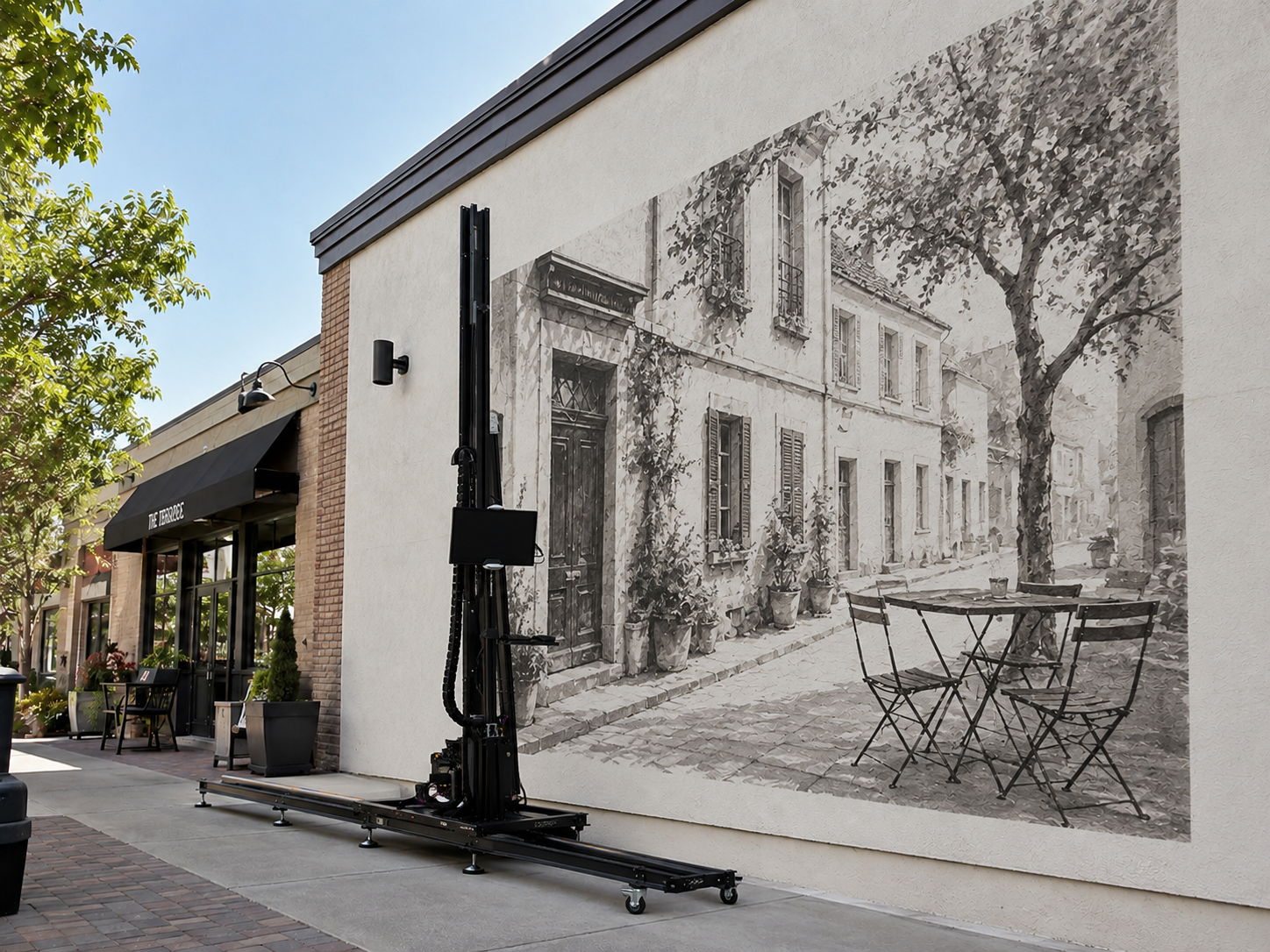
These factors are particularly relevant to a vertical wall printer, where the printhead operates close to walls that may not be perfectly flat.
2. How to Run a Wall Printer Printhead Cleaning Cycle
If the nozzle check confirms missing or irregular output, a standard cleaning cycle is usually the appropriate first maintenance step.
Most compatible wall printer maintenance systems use an ink pump or cleaning function to restore normal ink flow through the printhead. The exact cleaning sequence depends on the printhead, ink system, and printer controller.
Step-by-Step Printhead Cleaning
Step 1: Check the ink system.
Confirm that the printer has enough ink and that the ink tubing is connected correctly. If your machine uses a white-ink circulation or agitation system, verify that it is operating according to the manufacturer's instructions.
Step 2: Select the normal cleaning function.
Open the printer's maintenance software and locate the standard cleaning option. Depending on the system, this may be labeled Cleaning, Head Cleaning, or Ink Pumping.
Choose the normal cleaning mode rather than immediately selecting deep cleaning or manual flushing.
Step 3: Complete the cleaning cycle.
Allow the automatic maintenance process to finish without interrupting power or moving the printhead manually.
Step 4: Print another nozzle check.
Once the system is ready, run a new nozzle test and compare it with the original pattern.
If all missing lines return, no additional cleaning is needed.
If the pattern improves but remains incomplete, follow your machine's instructions to determine whether another standard cycle is appropriate.
If there is little or no improvement, inspect the ink supply and maintenance components rather than repeatedly cleaning.
How Many Cleaning Cycles Are Too Many?
More cleaning does not necessarily produce better results.
Repeated cycles consume ink and may not resolve problems caused by blocked ink lines, air leaks, poor capping, or damaged components.
A practical approach is to perform one normal cycle, evaluate the result, and use a second cycle only when the manufacturer's procedure permits it. If repeated cleaning produces no meaningful improvement, stop and investigate the underlying cause.
Do not assume that every wall printer supports the same number of cleaning cycles. The limits and recovery procedures vary by printhead model and ink system.
For operators using an industrial wall printing machine, recognizing when to stop is just as important as knowing how to start a cleaning cycle.

3. What to Do When the Printhead Is Still Clogged
If normal cleaning does not restore the missing nozzles, the printhead may not be the only component causing the problem.
UV wall printers rely on several maintenance and ink-delivery components to keep the printhead working correctly.
Before attempting aggressive cleaning, check the following areas.
Check the Cap Station, Wiper, and Ink Supply
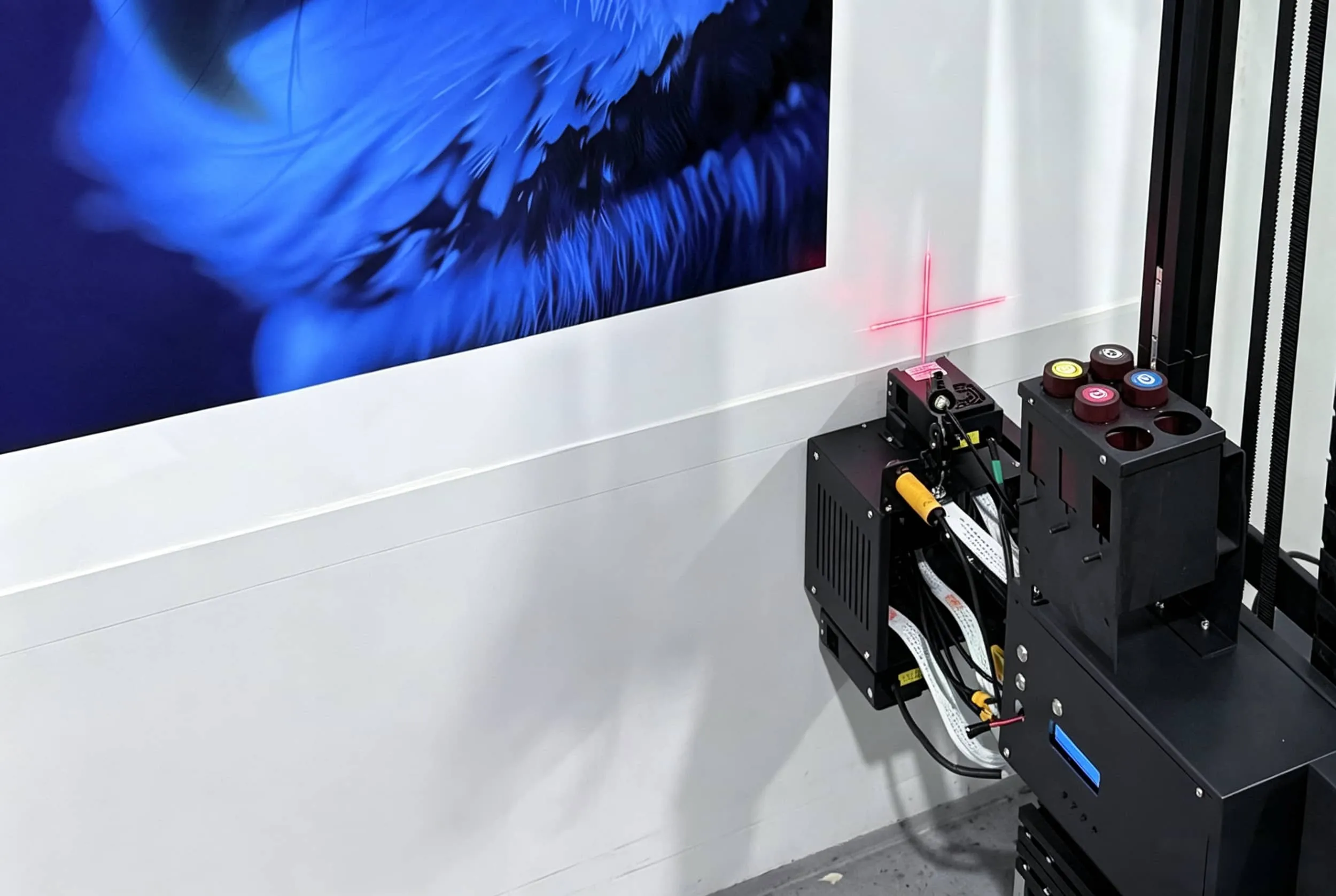
Cap station: The capping mechanism helps protect the printhead when it is parked. Dried ink, damaged seals, or poor cap alignment may interfere with normal maintenance and allow ink around the nozzle surface to deteriorate.
Wiper blade: A dirty or damaged wiper can leave ink residue on the nozzle surface. Inspect it according to the printer's maintenance guide and replace it if necessary.
Ink tubing and dampers: Air bubbles, restricted ink flow, leaking connections, or faulty dampers can cause missing nozzle output even when the printhead itself is not clogged.
Waste-ink and pump system: A blocked waste line or faulty maintenance pump may prevent the cleaning system from operating correctly.
UV ink and white-ink circulation: Some UV ink systems require regular agitation or circulation, particularly for white ink. Confirm that the correct ink maintenance procedure has been followed.
Use only approved cleaning materials when servicing accessible components. Avoid touching the nozzle plate unless the manufacturer specifically instructs you to do so.
When Is Deep Cleaning Necessary?
Some machines provide a stronger cleaning or recovery function for persistent nozzle problems.
However, deep cleaning should not be treated as the automatic next step after one unsuccessful normal cleaning cycle.
It may consume substantially more ink and will not repair damaged nozzles, faulty electronics, or mechanical problems in the ink supply system.
If the test pattern remains incomplete, send the machine model, printhead configuration, nozzle-check photographs, and maintenance history to your supplier or technician.
Professional support may recommend an approved recovery procedure, component replacement, or printhead servicing.
For businesses choosing a new wall printer for sale, access to compatible consumables, spare parts, and technical assistance should also be part of the purchasing decision.

4. Printhead Cleaning Mistakes You Should Avoid
Incorrect cleaning methods can cause more damage than the original nozzle blockage.
These mistakes are especially costly with UV wall printers because their printheads, ink chemistry, and maintenance systems may require specific handling procedures.
Avoid the following practices.
1. Using alcohol, acetone, or household cleaners
Do not substitute general-purpose solvents, vinegar, or household cleaning products for approved printhead maintenance fluid. Incompatible chemicals may damage seals, coatings, adhesives, or internal ink-system components.
2. Flushing UV printheads with water
Do not assume that distilled water is suitable for a UV inkjet printhead. UV-curable ink chemistry differs from ordinary water-based ink, and the correct cleaning fluid must be compatible with the specific ink and printhead.
3. Forcing cleaning fluid through the nozzles
Avoid using syringes, compressed air, or excessive pressure to force fluid through the printhead unless the manufacturer provides a specific, approved procedure. Excessive pressure can damage internal printhead components.
4. Scrubbing or touching the nozzle plate
Never scrape dried ink with metal tools, stiff brushes, fingernails, or abrasive materials. The nozzle surface is delicate and can be damaged by physical contact.
5. Exposing the printhead to unnecessary UV light
UV-curable ink can react to suitable ultraviolet exposure. During servicing, follow the manufacturer's UV lamp shutdown and light-exposure precautions to reduce the risk of ink curing around the nozzles.
6. Running cleaning cycles without checking the results
Repeated cleaning without a nozzle test can waste ink and delay identification of a more serious problem.
7. Leaving the printer idle without proper maintenance
Extended inactivity can increase the risk of ink deposits and nozzle problems. Follow the manufacturer's shutdown and storage procedure rather than assuming an occasional cleaning cycle is sufficient.
The safest rule is simple: use approved cleaning fluid, avoid direct nozzle contact, and never force a recovery procedure that your printer manufacturer has not authorized.

5. How to Prevent Wall Printer Printhead Clogs
Preventive maintenance helps reduce unexpected downtime and keeps your wall printer ready for commercial printing projects.
Rather than cleaning on a fixed schedule regardless of print quality, combine regular inspections with the maintenance requirements of your specific machine.
A Practical Wall Printer Maintenance Checklist
When | What to Check |
|---|---|
Before each printing job | Ink levels, nozzle check, visible ink lines, printhead condition |
After each printing job | Printhead parking, capping condition, visible ink residue |
During regular maintenance | Wiper, cap station, waste-ink system, approved cleaning procedures |
During extended inactivity | Manufacturer's storage routine, ink circulation, scheduled maintenance |
For printers using white UV ink, pay particular attention to the manufacturer's circulation or agitation requirements. Pigment settling can interfere with reliable ink delivery if maintenance is neglected.
Store and handle ink according to supplier instructions, and avoid exposing the printhead or ink system to direct sunlight or inappropriate environmental conditions.
A consistent maintenance routine helps protect print quality and reduce the risk of unexpected service interruptions.
For companies operating a wall printing business, preventing a printhead problem before an installation is far less disruptive than troubleshooting it at a customer's site.
Conclusion
Cleaning a wall printer printhead should begin with a nozzle check, not an aggressive cleaning procedure.
If the test shows missing lines, start with the manufacturer's normal cleaning function and compare the results. If the problem continues, inspect the ink delivery and maintenance system before attempting stronger recovery methods.
Most importantly, avoid incompatible cleaning fluids, excessive pressure, and direct contact with the nozzle plate.
With proper testing, approved maintenance procedures, and regular preventive checks, wall printer owners can reduce unnecessary downtime and keep their equipment ready for the next printing job. To learn more about the factory-direct wall printer manufacturer behind this guide, visit our About Us page.